Showing posts with label Web tools. Show all posts

Wednesday, April 16, 2014

Free online level tests

I am amazed by the wealth of materials that Cambridge English are adding to their Youtube channel and their different websites.

Yesterday, I received an update email telling me about new resources that have been added to Youtube and the website. I immediately forwarded it to schools locally because I thought there were so many interesting bits and pieces in it.

Firstly, the online test for Young Learners.


This is a great addition to the suite of online tests that are available on the website.  It means that there are now four different tests available, for different age and interest groups.                                       

And then, the email shared a resource that I had already accessed myself last week when I was preparing for my seminar in San Sebastian:  
The great thing is that not only do we have the videos, but also the Examiners' comments on the candidates' performance.  This is so useful for us - it helps us get our level of assessment right and really clarifies what candidates need to do.

Many of you will be on holiday this week and/or next.  It's gloriously sunny here in Santander today and I hope you're having great weather too!  Enjoy!!

Thursday, April 10, 2014

Write and improve

Hello again
Sorry not to have been writing much recently, but I have so much on workwise right now, that it's hard to find time to do everything I'd like to.  Still, keeps me young and active as my dad would say!

Tomorrow, I'm off to San Sebastian again (I was there last Friday too).  I'm giving a session on Writing and Speaking for Cambridge English:  First and Cambridge English: Advanced.

I try to avoid repeating anything that I've done in San Sebastian before (quite a challenging task seeing as I'm usually there 5 times every year!), so I was checking out what new stuff there is and came across a very attractive development on the Cambridge English Youtube Channel.

Write and improve

I  registered yesterday to see how it works.  You register and put in very few details

The tasks are designed for levels B1 and B2.  Students type in their answer to the question they choose (or they can write about any topic), save their answer and submit it and get feedback on their errors and sentences.

To find out more, there are two videos on the Cambridge English Youtube channel:


Try it out - pass on the link to your students and contribute to a research programme!


Saturday, May 25, 2013

Amazing colours

I have been finding out what arrangements need to be made (and steps taken) for a colour blind student who will shortly be taking the Cambridge English: Starters Test in a school here in Cantabria.  Cambridge English Language Assessment have procedures for dealing with many different special needs


Obviously, because colour plays an important part in the Young Learner Tests, colour blind candidates would be at a great disadvantage if they took the test without these considerations being made.

Back in March, I wrote about types of colour blindness and recommended loading pictures onto Vischeck to see what they look like to a colour blind student.

Recently, I was reading about the Stroop Effect in a hotel magazine.  Click on this link to take a test and find out for yourself what the Stroop Effect is!

Fun and intriguing I found!

I then fed words from the Stroop Effect Test into an online tool (Vischeck didn't seem to be working so I found another site to do this: http://asada.tukusi.ne.jp/cvsconv/

http://informationbombardment.com/fun-stuff/stroop-effect/

Deuteranope vision

Tritanope vision
Notice how the words 'black' and 'purple' almost disappear if you have Tritanope vision!

And, of course, I found a great talk on Ted.com.  Fascinating.  I don't know if I could stand to have colour sounds playing in my head all day, but I suppose that Neil Harbisson's life has been enriched by being able to 'perceive' colour in a different way.

Artist Neil Harbisson was born completely color blind, but these days a device attached to his head turns color into audible frequencies. Instead of seeing a world in grayscale, Harbisson can hear a symphony of color -- and yes, even listen to faces and paintings


And of course, we often hear about colours being related to moods.  I found this image on pinterest the other day and that inspired me to bring together all my colour related pictures and videos and information and write this post!


Thursday, May 16, 2013

Inspiration from space

It's been a busy week.  Thursday already and I haven't written a post for this blog all week.  I haven't had much time to watch TV or see the news either, but one story I did stop and listen to was the version of Space Oddity by the Canadian astronaut Chris Hadfield.


I'd checked out Chris Hadfield's photos taken from space before.


On You Tube, there is another great video where Chris explains how he takes photos from space, what he likes taking photos of and why space is such a great place to take photos from.  There are also other videos that would be useful for classes about opening a can of soda in space, sleeping in space, cutting your toenails in space.....!!!

Chris and the rest of the crew are now back on earth.  Reading through their tweets as they travelled back down and landed makes fascinating reading.

That last tweet about smelling and feeling Spring caught my attention (maybe because the weather here has now returned to winter!) because training our students to use their 'senses' when describing photos and scenes is something I talked about recently in Santander, Malaga and Granada.

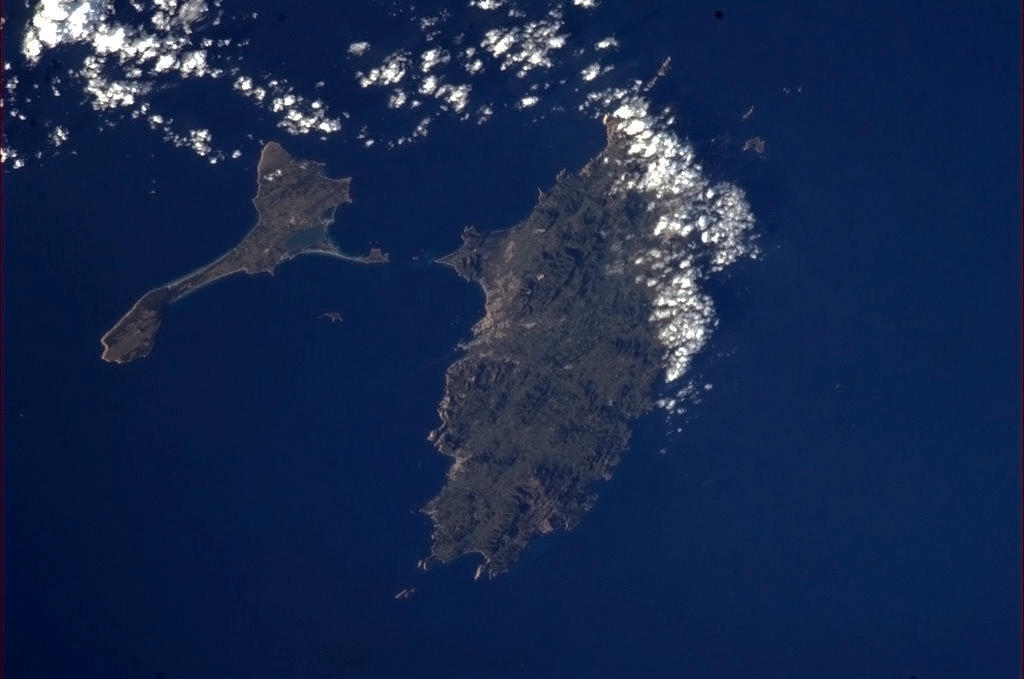
And finally, here are some photos that Chris Hadfield has shared via Twitter.  Can you guess which parts of the world they show?
1
2

3

Answers:  1  Ibiza    2  The UK and Ireland    3  Istanbul

Thursday, May 9, 2013

Reading and writing and being creative with Storybird

Recently, while I was preparing a seminar on using pictures, I came across a great site for using pictures to create stories.

Storybird
http://storybird.com/


What is Storybird?
Storybirds are short, art-inspired stories you make to share, read, and print. It is a fun, collaborative, storytelling website.
Storybird was designed to allow children to work with parents and friends in creating art-inspired stories to share and save. It is also now a very popular tool to for use by teachers with their students around the globe. Users choose from art hosted on the site and build a story around those images that can then be shared with family and friends. Storybird encourages creativity and is a web tool that supports working collaboratively.
The final product can be printed, watched on screen, or shared in an online library with the world. You also have the option to keep it private on the network.
 
http://www.edutopia.org/blog/storybird-new-teacher-boot-camp-lisa-dabbs

There is a great slideshow explaining how to use Storybird:
http://www.slideshare.net/WakeCountyPublicLibraries/whats-your-storybird-how-to-use-storybird

I would suggest that you can use Storybird as a source of reading material.  I just keyed in the word 'tall' into the search bar on Storybird and it came up with 3,441 stories by 659 people and using pictures by 18 artists.

I read one about negative and positive feelings called 'Standing tall' that I liked (I 'hearted' it actually - a 'like' for a Storybird story).

And then of course, you could use it with students to write stories.  Storybird provides the pictures (you could use the same set of pictures as a writing challenge first and maybe they could move onto choosing their own set of pictures).

I definitely
http://www.zastavki.com/eng/Love/wallpaper-28182.htm
Storybird!

Wednesday, April 17, 2013

Another great photo resource!

I was reading through some emails I'd received over the past few busy days in order to try and reduce the number of emails in my inbox.  (None of them urgent - I deal with those as they come in!)

While I was reading through one of the emails, I clicked on the link and read another of the tips submitted to the Cambridge English Language Assessment UK and Bell Teaching Ideas Competition.


The tip itself is a great one.  I've taken note and added it to my teaching resources.

And then, I tried out one of the suggested sources for photos for students to choose and compare.

I had never seen Tag Galaxy before.  I'll certainly be using it again (and again!)

Here is a description of how it works:

What it is: Tag Galaxy is a neat little tool that helps students to explore relationships between words and ideas as well as view pictures related to that word.  Type in a word to search and immediately you are transferred to a galaxy with the original word at the center and the associated ideas orbiting around it.  When you click on the word in the center, a globe populates with pictures from Flickr that are tagged with that word. Click on one of the orbiting words and tags related to that word start to orbit.  Tag Galaxy is a very neat way to view information!                    http://ilearntechnology.com/?p=3506

Here are two screenshots for the tag 'speaking'.  The first screenshot shows the original word 'speaking' with the related words around it.


The second shot shows photos 1 - 235 from flickr tagged with 'speaking'.
You can click on any of the photos to see it closer up and then you can go the original photo on flickr.  If you want to see more photos, you can choose the next batch of matches, or spin the globe to see the other side of it.

I'll DEFINITELY be using this resource a lot.

Monday, March 11, 2013

Memorise it with Memrise

On one of my recent trips, I made myself a note to check out a website called Memrise.

I couldn't remember what prompted me to jot down this website, but I checked it out yesterday and thought it looked interesting and that therefore, I'd share it with you.  From the name, you can guess it's connected to remembering things - words in fact (and facts too actually)


You can choose from a wide range of languages (I might just make a start on Italian with it!)

You click on a 'course' and then you are shown a definition and a mem or a picture to help you remember it.

Then, you are tested via multiple choice questions, questions where you have to type the answer (one of the items you have just focused on).

I checked out this 'course' with terms for the DELTA.  Looks good for a teacher who wants to brush up on terminology.


There are other memrise 'courses' for beginners and advanced students, on general and academic English.

Must try out one of the beginners Italian courses and make a start!


Thursday, March 7, 2013

Link to a great post on Take a Photo and...

I received an email on Monday from the Blog 'Take a Photo and'.  It talked about a new post on their blog by Paul Braddock.

I clicked on the link and read the post.


I was very impressed.  It's one of those things that you can go off and take into your classroom immediately (well, all right, you would have to prepare the photos in advance and check out the links, etc).

I have also made a note to myself to sign up to Lino and Popplet - two web tools used and recommended by Paul in his post.  My 'for later' bookmark list just grew again......


Tuesday, March 5, 2013

What if our students are colour blind?

I've just returned from a trip to Rome, where I gave a session called 'What's in an image?'

One of the points I was suggesting that we as teachers should consider is that we may well have colour blind students in our classes and a proportion of candidates taking a Cambridge English exam will no doubt be colour blind in some way.  Colour and pictures are an important part of the Cambridge English: Young Learners Tests.

I have discovered a very useful site called Vischeck.

You can upload a photo or picture and it shows you what the picture looks like to someone who is colourblind.

At the conference in Rome, I showed the teachers what a picture used in a former Starters speaking test would look like to a boy or girl who is colour blind.
They can still see that two girls are playing basketball, but the actual colours that the the ball or the blonde girl's hair are changes. If we are asking them questions like 'What colour is this girl's hair?' then their answer would not be the same as ours!

Original picture (Starters Practice Tests 6 page 53)
Deuteranope means that people have a red/green colour deficit 
Tritanope means that people have a blue/yellow colour deficit.

On the Vischeck site, you can also check what a webpage might look like to these people.

One advantage would be that students with red/green deficit would be that having a teacher who overuses a red pen would not have the same effect!  But I was just thinking that the traffic system which functions around red-amber-green just doesn't seem logical!!!!!

Apparently, 7% of US males and 0.4% of US females are colour blind in some way.  Presumably, this is also the proportion that will apply to the students in Spain where I live and work.  And very probably in your classrooms too.  Bear this in mind when you show them a picture and ask:  What  colour is this?'!!!!!


Wednesday, November 14, 2012

pinterest - a great tool for classes!

Yesterday evening, I was teaching the vocabulary for containers and the things usually contained in each type.

It suddenly occurred to me that pinterest could be the perfect record (and teaching and revision) tool for vocabulary areas like this.

I have created a pinboard for this topic.  You can see it here:


Maybe we could start boards for the different levels of the Cambridge exams, especially for the topic areas that appear on the Cambridge English: Young Learners English Tests and the Cambridge English: Key and Cambridge English: Preliminary Tests??


Saturday, October 20, 2012

Great blog(s) for Cambridge English: First!


Yesterday, I was at the British Council, Bilbao for a 2 hour seminar on the theme of:

'Planning and teaching short exam courses'

I really enjoyed the session - there were some teachers I've met at previous seminars in Bilbao, plus some new faces.  Great to share ideas with you all!  Thanks for coming!

When planning the session, I decided to take the Cambridge English: First exam as the focus for the course we were going to plan.


We looked at the English Profile website - the Vantage pdf document that can be downloaded via a link there, at the Vocabulary Profile and various other useful resources for material to guide us with our course content and focus planning.  

One point that all of us at the session agreed on is the need to offer students the opportunity to practise and study outside the classroom (especially with students that you may only see once a week for example).

We looked at various online resources for doing this.  I've mentioned some of them on this blog before - mailvu, IH  Bristol...

Interestingly, when looking around the web at what is available for teachers and students to prepare and practise for Cambridge English: First, I discovered that there is a British Council Bilbao blog for Cambridge English: First!


The blog has posts on different aspects of the exam and some practice materials based on authentic texts.

I also showed the teachers in Bilbao a blog about Cambridge English: First that I discovered recently. 


This blog, by Claudia Ceraso is (in her own words)
An afterclass meeting point for all First Certificate in English Students
 I like the mixture of advice for the different parts of the exam and the fun links.

Why not visit Claudia's blog  and the FCE British Council Bilbao blog yourself and see what you think!


Wednesday, October 17, 2012

Great source for examples of answering questions

I have spent most of the day looking at some different web tools and pages.  One of the things on my 'to do' list for this academic year is to start using some new tools and applications with my students.

I was revisiting a favourite of mine - Nik's Daily English Activities.

I mentioned Nik back in a post in January this year.  I had been watching a recording of a webinar Nik gave and had really enjoyed it.

Anyway, today, I clicked on Nik's link to VYou.  

First, I watched the questions asked by Oprah Winfrey, then I looked at some other questions and answers on the site.

I thought that it would be a great page to use with students preparing to take the Cambridge English: First, Advanced and Proficiency exams, in particular when preparing them for the first and final parts of the Speaking Tests.

For example, someone out there has set the following question:

If a book has been made into a movie, which do you prefer to do first, see the movie or read the book? Why?


As I write this post, 4 people have recorded their answer with a video camera.  You can watch them here.

I think that this and similar questions and answers could be a great source for discussion in (or outside) class.
Students could be asked to 'give marks' using the criteria that Speaking Examiners use:

- Grammar and Vocabulary
- Discourse Management
- Pronunciation

(It's a bit difficult to evaluate the answerers' interactive communication because they are monologues!!!)

And I also think that the site could provide us teachers with some interesting discussion and opinion questions to put to our students (or they could each choose a question to ask the teacher and/or their classmates!)

And if you're feeling brave, they could also record their own answers and share them!

(Note:  Some of the questions (and answers!) might not be suitable for sharing with your students, especially with teenagers, so I suggest you choose the ones you can use carefully! )


Monday, October 15, 2012

101 things to do

It's Monday morning.  Getting myself organised to start the week.  Have started making a list of the things I have to do - and no, it hasn't reached the number 101 yet!!!  (But may well do!!!)

I am working on a seminar I have in Bilbao on Friday.  The session is on 'Planning and teaching short exam courses'.  I want to include some useful website recommendations, and was revisiting squidoo

(If you are not familiar with this site, here is what it says under 'About us':)

 an open, free platform that gives people a simple way to organize their interests online – and bring more human, curated, original content to the web. We make it easy for writers of all stripes to create portfolios of beautiful webpages, each one about a single thing or story or opinion that they know and love

While I was on the first page of squidoo, I clicked on  internet and came across the following 'Top performer':
Now, I suspect that I might not be trying out some of the things on the list (like How about chatting with a random person or Get help with Online Poker Games) and I am already familiar with a couple of the sites that clicks took me to like ted.com or google translate, but there are several others that I will add to my 'for later' bookmarks.

And I have already clicked on 63 Incredible Statistics Art: Awesome (Pictures) 

What a fantastic page!  

It has some beautiful pictures made up of objects that represent different statistics (Running the numbers).


Like the one above, for example:   toothpicks representing the number of trees cut in the U.S. yearly to make the paper for junk mail.

Ah well, I can now cross one thing off my 'to do' list - I've just written my first blog post for the week!  Hope it's a good one for you all!  
Maybe I might see one or two of you in Bilbao on Friday!

Friday, September 14, 2012

A post about posters!

Like so many of my past posts, today's post was inspired by an email I received from one of the sites I'm subscribed to.

When we were updating the suggested links on the blog I take part in with a group of local teachers,  (See the post I wrote about this blog back in March) one of the other teachers suggested adding a link to the Busy Teacher Website.

I had not visited this site before, so I checked it out.  I was VERY impressed by what I found and immediately signed up to receive their weekly newsletter.

The site is extremely easy to navigate.


As you can see here, there are worksheets, articles, seasonal activities and resources, and More.

Here's what you can find under More:

As you can see, there are lots of things here.
Under Classroom posters, you can find a wide variety of posters, for example:

Other posters are to display in the classroom for students (classroom language, for example) or to illustrate word sets.

There are many other posters - lots of them fun, others thought-provoking like the one I included in an earlier post about being busy and the many roles that a teacher undertakes.

Check out busyteacher for yourself - I'm sure you'll find lots of things there that you can use in your classes.


Monday, September 10, 2012

Edudemic - looks promising


As so often happens when I click on a link in an email, I then start moving around the web, discovering great sites and resources.

Today being Monday, I got my regular linked in update email.

I clieked on the link and on the update page in Linked In, was attracted by the heading of an article:


The Current State Of Mobile Learning In Education


This topic is, of course, often in the news, but today it seemed particularly relevant.  I have just returned from a weekend riding with my husband on our Harley Davidson motorbike along the 'Ruta de Santiago'.  Also on the route were about 25 other people from all over Spain, France, Belgium, Italy and Finland.  

Having studied French at university, I was called on to interpret for the people from France and Belgium several times.  Over lunch on Friday, I was talking to Alain from Belgium and we got to talking about education.  He told me about a school in Belgium where as from this year, all students are required to come to school with an ipad.

I ended up on a great site called edudemic.com.

This is the wordcloud for the areas covered on Edudemic

Wordcloud, edudemic.com

As you can see by the sizes of the different words and categories, there are a lot of articles about 'How to'.  I often type these words into a search engine to find the answer for a recipe, a craft or a presentation.

I have found so many interesting-looking features on edudemic that I know I will be spending time today looking at some of them and have already bookmarked the site under 'Technology' on my computer.

Have a great week!


Wednesday, August 1, 2012

From one useful link to another ....

As so often happens, I clicked on the link in one of the emails I received last week and ended up discovering another useful site.

I received an email from the takeaphotoand blog about a new post on the blog:

Wave your flag

In this post, Sue Lyon Jones outlines a lesson plan to discuss patriotism and whether it is a positive or negative thing.  A slideshow with discussion questions and quotes is provided.  

Among the suggestions for follow-up activities for students to do at the end of the discussion is the idea of them creating a word cloud about patriotism.  Sue suggested a website that I was not familiar with, tagxedo) so I visited it and created the word cloud below by typing in the Teaching Together Blog address.  


At the end of Sue's post, there was a paragraph about Sue.

 Sue Lyon-Jones is a freelance ELT materials developer, ESOL tutor and teaching with ICT consultant based in the UK. She publishes and writes the content for the free English lessons and ELT resources site, ESOL Courses. Her current areas of interest include teaching with web based technologies, interactive materials development, educational games, mobile learning, and Dogme ELT.
I clicked on the link to ESOL Courses and was very impressed by the materials on the site.  Simple picture and word matches to work on lexical areas.  I liked the Listening activities that I took a quick look at: for example, butlering at Buckingham Palace or New York Tourist Attractions.


Check the website out for yourself and you're bound to find something to recommend or use.